Clear concern reporting
Help staff capture what matters while it is fresh: what happened, who was involved and what they did next.
EVERY STAGE, CONNECTED
Give your team one connected workspace to report concerns, coordinate the response and see the bigger picture. Discover the features that help staff speak up and leads follow through.
Give people a clear way to raise a concern, capture the detail and stay in touch.
Help staff capture what matters while it is fresh: what happened, who was involved and what they did next.
Give reports useful context with categories covering concerns such as exploitation, mental capacity, substance misuse and information governance.
Open a reporting route to families, visitors and others beyond your staff team, with no staff account needed.
Put a reporting link or QR poster where people will see it. Add a form to your website where its security policy allows embedding.
Keep the conversation open after a public report. A private return code lets the reporter exchange messages with the handler.
Capture signatures with a finger, stylus or mouse, with an accessible alternative when drawing is difficult.
Bring the history, the context and the person’s voice into each review.
Keep key details close to the case, including the person’s reference, date of birth, diagnosis and location.
Understand what has happened over time with concerns, actions, statements and recorded activity brought together.
Keep wishes, communication needs and advocacy visible in care forms, so reviews can reflect what matters to the person.
Record capacity, consent and information-sharing decisions alongside the reasoning, ready for colleagues to review.
Add body maps and written observations to supported forms, helping reviewers understand the concern being reported.
Link related concerns and review patterns over 30, 60 or 90 days, so each report can be considered in context.
Replace uncertainty about the next step with clear ownership, deadlines and follow-up.
Assign a case officer or record handler so colleagues know who is coordinating the response.
Give each task an owner and a due date, then see its progress through to completion.
Set acknowledgement deadlines for your custom forms and bring reports awaiting a response into view.
Use scheduled reminders for custom-form actions, acknowledgements and reviews to help eligible colleagues stay on top of their work.
Request signed statements through secure links and keep supporting files with the case for easier review.
Record signed decisions, closure and reopening reasons in custom workflows, with earlier decisions retained in the history.
Give concerns involving staff a confidential route with carefully chosen reviewers.
Separate staff safeguarding from everyday reporting, with a department and reviewers chosen for sensitive concerns.
Choose who can open each confidential case. Managing the department does not automatically reveal every investigation.
Exclude the selected staff subject and other identified conflicts from the case, its evidence and its alerts.
Keep a reporting route available when the usual reviewer is involved, with an authorised alternative handler.
Confirm that a report has been submitted while keeping the investigation restricted to its authorised reviewers.
Bring evidence, referrals, actions and signed outcomes together within the confidential case workflow.
Shape your questions, teams and review process around the way your organisation works.
Build clear forms with the questions, guidance and required answers that matter to your service.
Update a form as your practice develops while keeping earlier reports with the questions and version originally used.
Organise colleagues into departments and groups, with separate permissions for reviewing, editing, exporting and sharing.
Set workflow stages, reviewers and follow-up expectations so each custom form has a defined path through the team.
Record risks, controls, audit findings and evidence, then assign improvements and capture signed reviews.
Use wellbeing, behaviour and attendance templates. Add paper records manually while retaining their source and original date.
Make reviews more useful with a clear view of activity, recurring concerns and outstanding work.
Give each colleague a dashboard with the reporting, actions and oversight tools relevant to their role.
Narrow the view by period, location, category, status, owner and other available filters to focus on what you need.
Save report filters for your custom workflows so regular reviews start from a consistent view of the work.
Explore clusters by person, location, category and source, with linked-concern warnings to prompt review.
Give authorised group leads aggregate reporting across selected organisations, with confidential staff cases excluded and small counts suppressed.
Track compliance reviews, data subject requests and retention reviews with clear ownership. Retention tools record decisions and holds; they do not automatically erase records.
Bring the relevant records together and stay in control of what you share.
Select authorised records, review and redact the text copy, and prepare a chronological account for the intended recipient.
Download permitted data as CSV or use your browser to print reports and evidence packs or save them as PDF.
Choose the original files and visuals to include in a disclosure, reviewing each one for sensitive information before sharing.
Give a nominated email recipient access to a fixed snapshot after they verify with a short-lived code.
Set an expiry, revoke future access and track receipt confirmations. Copies already downloaded remain with the recipient.
Use audit events, signed snapshots and dated case histories to explain what happened and support later review.
Make reporting and follow-up practical on the devices your colleagues use every day.
Take the lead workspace with you on supported devices. Review concerns and coordinate the work you are authorised to manage.
Give staff a straightforward workspace to report concerns, view their submissions and complete assigned work.
Eligible safeguarding leads can opt in to alerts on supported devices, with case details kept off the lock screen.
Direct custom-workflow alerts to the right groups and reviewers, with instant or daily options for routine notifications.
Publish your own resources, assign versions to colleagues and track completion, with an optional knowledge question.
Bring your organisation’s logo and colours into Beacon and use supported device passkeys for convenient sign-in.
Your service. Your way of working. Choose the forms, reviewers and resources that suit your organisation, with tools and access matched to each role. In your demo, explore how Beacon could support the way your team reports, responds and reviews.
BEACON, ON YOUR DEVICE
Keep reporting and follow-up within reach. Install Beacon on supported devices and open your role’s workspace straight from the home screen.
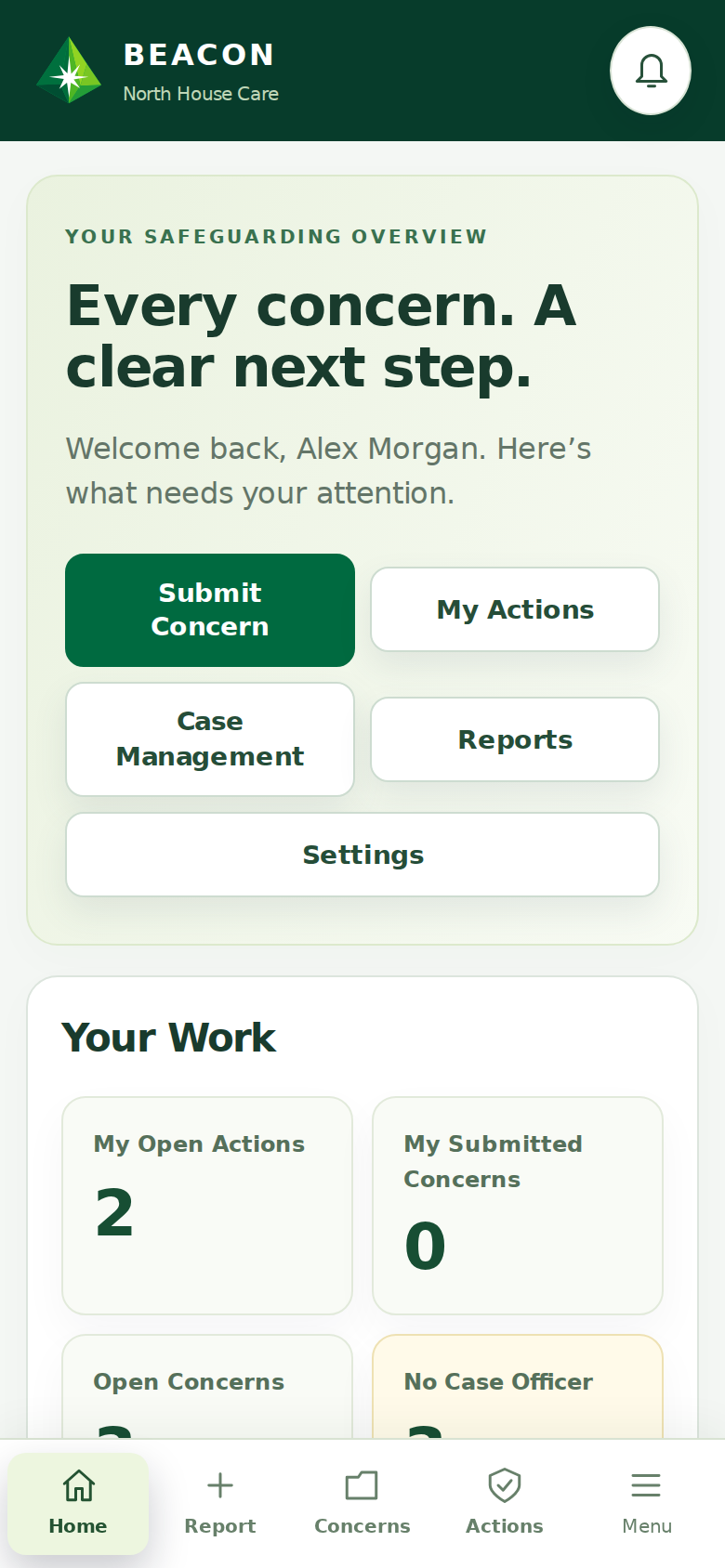
Stay close to the work that needs you. Review concerns, coordinate actions and follow progress as you move between teams and locations.
Make speaking up a straightforward part of the working day. Staff can capture a concern while the details are fresh and keep track of their next steps.
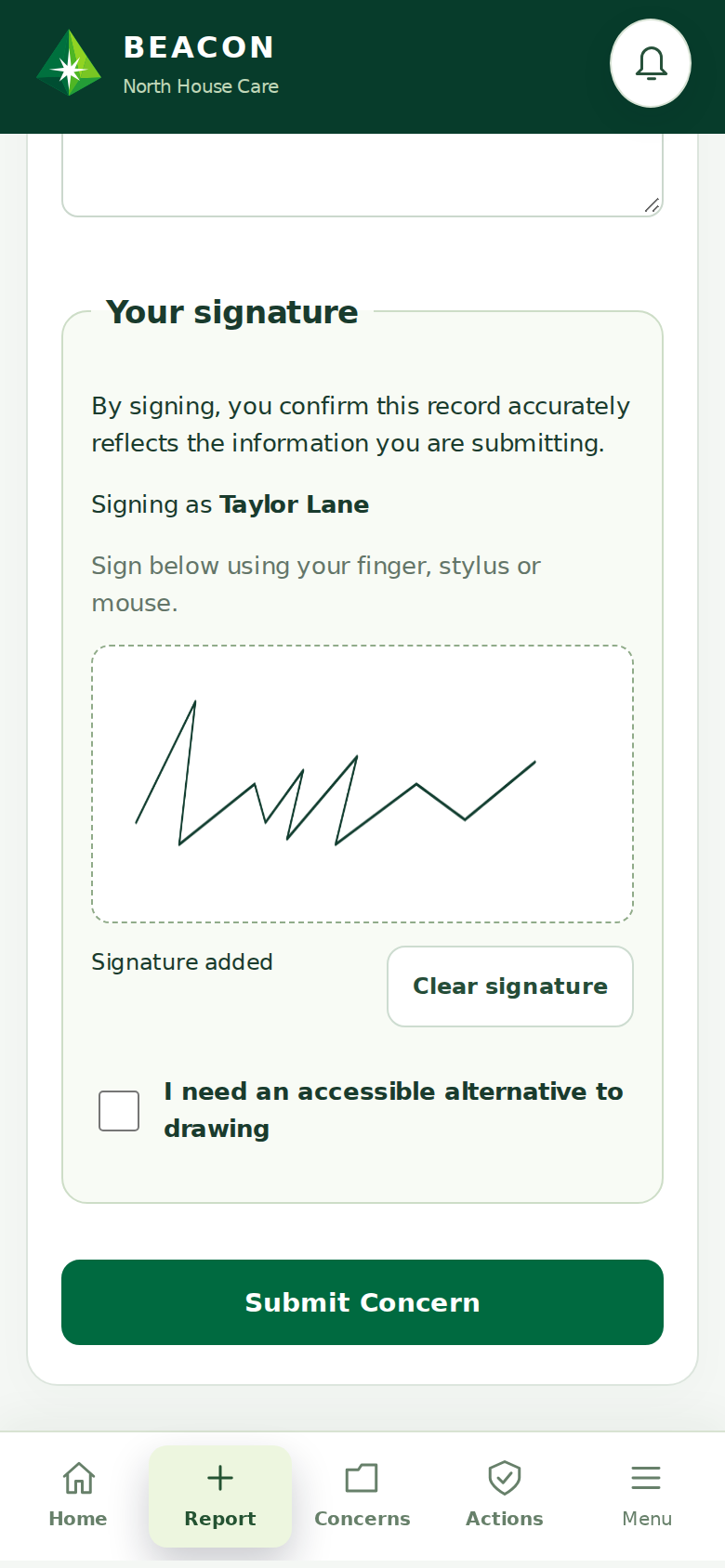
Give leads and staff a familiar way into Beacon from their own devices. Both workspaces are included in the same app, with access matched to each person’s role.
An internet connection is required. Installation depends on your device and browser. Push notifications depend on device support and permission.
SEE HOW IT FITS YOUR SERVICE